Receiving Notifications of Course Completion
Before you get started
Notifications must be enabled on your account. Contact us to get it turned on!
Configured Through Course Custom Property
Notification records are stored in a course's custom JSON under notifications.
Common fields used by the server logic:
namespace (for example: registration)
- verb (for example: creation, changed_after_save)
- method (for example: complete, success, custom)
- test and value (for conditional checks like == complete)
- notify (email list, comma-separated or array entries)
- template (named template lookup in Template model)
- to_function (optional dynamic recipient function)
- subject (optional custom subject)
For example:
[
  {
    "method": "complete",
    "namespace": "registration",
    "test": "==",
    "value": "complete",
    "verb": "changed_after_save",
    "notify": [
      "me@mydomain.com,someoneelse@mydomain.com"
    ]
  }
]
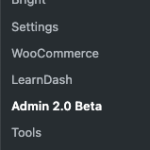
You can find access to this field in the Bright 2.0 Admin screen in the course editor.
Via Bright Server (legacy)
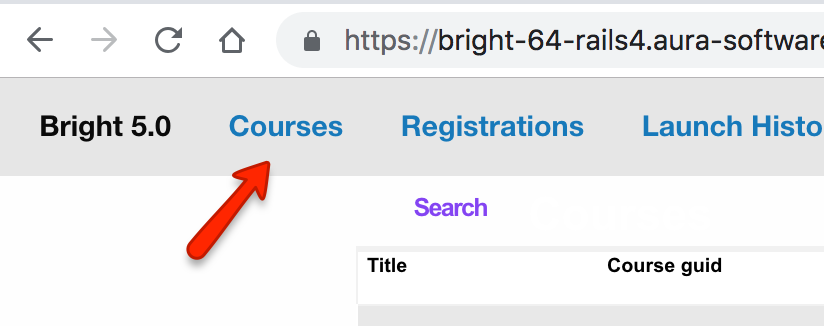
The course explorer appears as a top level tab:
Editing Course Notifications
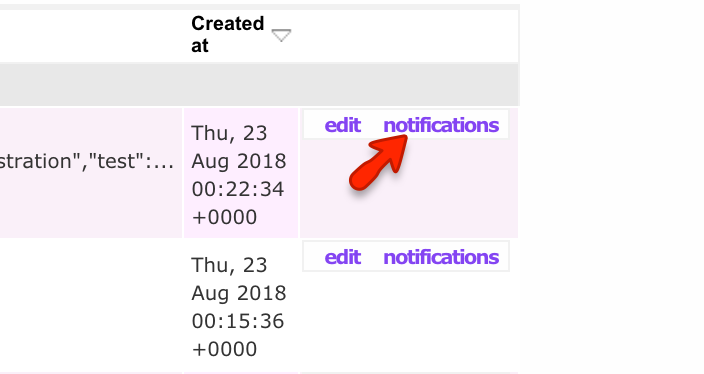
and then:

Via Course JSON
It also possible to configure this directly on the course in the Embedded Course Editor. Via Custom settings:
Field Name:
notifications
Example Data:
[{namespace:registration,method:complete,verb:changed_after_save,value:complete,test:==,notify:[email1,email2]}]
Customizing the email, sending to the learner, etc.
For cool stuff like that, Contact us
Related Posts: